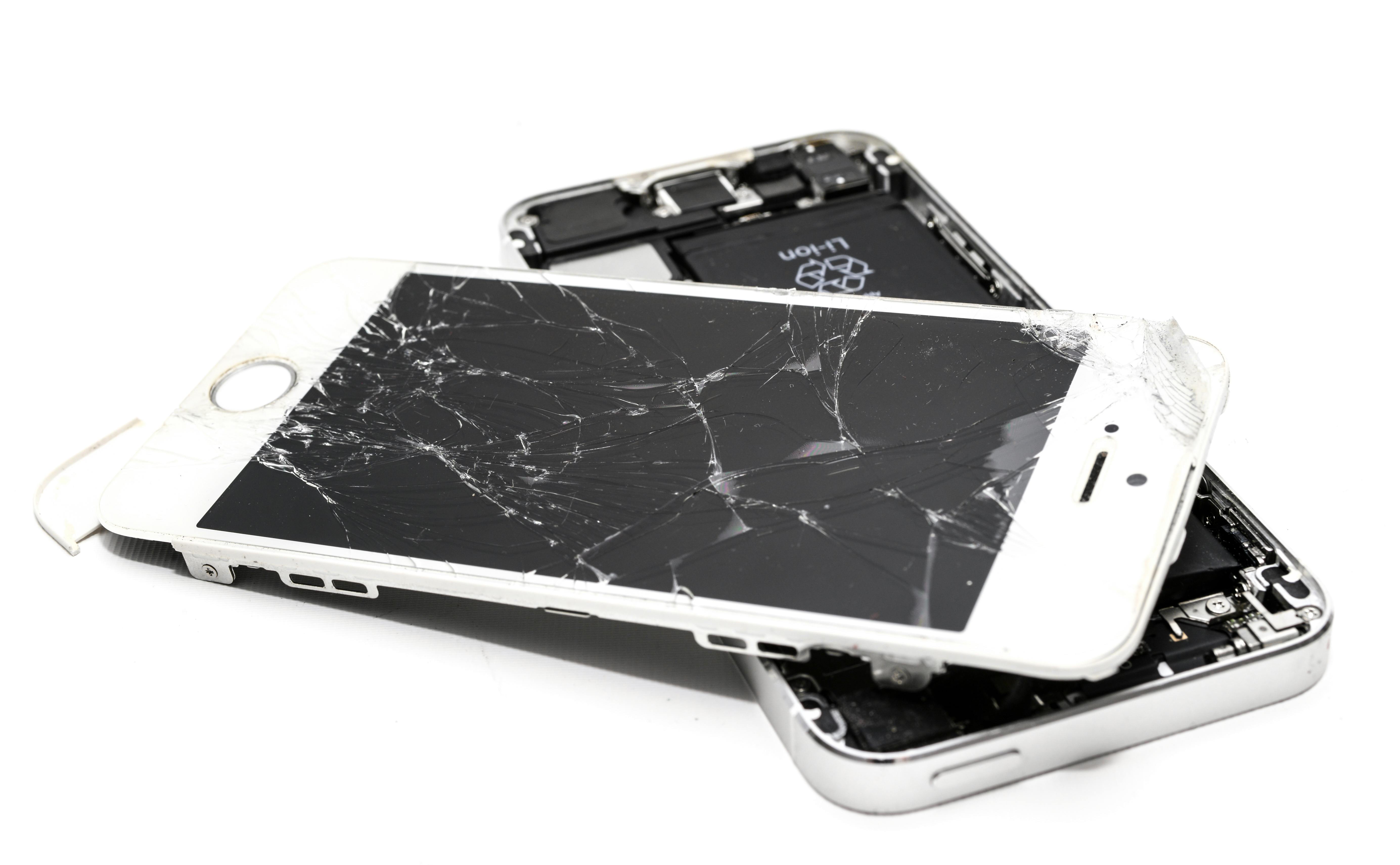
Your phone screen is cracked or your MacBook isn't turning on. Now you're facing the big question: Should you spend money to repair it, or is it time to upgrade to a new device? This comprehensive guide will help you make the financially smart decision based on device age, repair cost, and your specific situation.
⚡ Quick Decision Tool
Answer these 3 questions for a quick recommendation:
- Is your device less than 3 years old? → Likely worth repairing
- Is the repair cost less than 50% of a new device? → Definitely repair
- Does everything else work well (battery, speed, cameras)? → Repair makes sense
If you answered YES to all 3: Repair. If you answered NO to 2 or more: Consider replacing.
Keep reading for the detailed analysis...
The Simple Math: Repair Cost vs Replacement Cost
Here's the basic formula we use at our Boca Raton shop to help customers decide:
The 50% Rule:
If repair cost is MORE than 50% of replacement cost → Consider replacing
If repair cost is LESS than 50% of replacement cost → Repair makes sense
Real Examples:
✅ REPAIR Makes Sense:
Scenario: iPhone 13 with cracked screen
- Repair cost: $169
- New iPhone 13 cost: $600
- Repair is 28% of replacement cost
Decision: REPAIR - Save $431!
❌ REPLACE Makes More Sense:
Scenario: iPhone 7 with broken screen + bad battery + charging issues
- Total repair cost: $250 (screen $119 + battery $79 + port $69)
- Used iPhone 11 cost: $300
- Repair is 83% of getting a much better phone
Decision: REPLACE - Spend $50 more for 4 years newer tech!
Device Age: The Critical Factor
Age matters MORE than repair cost in some cases. Here's our recommendation by device age:
📱 Smartphones (iPhone & Android):
- 0-2 years old: Almost always worth repairing unless catastrophically damaged
- 3-4 years old: Worth repairing for screen/battery, consider replacing for complex issues
- 5+ years old: Usually better to upgrade unless it's a simple, cheap fix
💻 Laptops (MacBook & Windows):
- 0-3 years old: Worth repairing most issues (screen, battery, keyboard)
- 4-6 years old: Worth repairing if it meets your needs, otherwise upgrade
- 7+ years old: Consider replacing unless repair is under $200
Why Age Matters:
- Older devices lose software update support (security risk)
- Performance can't keep up with modern apps
- Parts become harder to find and more expensive
- Battery capacity naturally degrades over time
- Resale value drops to nearly zero after 5+ years
Complete Cost Comparison by Device
iPhone Repair vs Replace Analysis:
| iPhone Model (Year) | Common Repair Cost | Used/Refurb Price | Recommendation |
|---|---|---|---|
| iPhone 15 (2023) | $199-$299 | $700-$900 | REPAIR |
| iPhone 14 (2022) | $179-$229 | $550-$700 | REPAIR |
| iPhone 13 (2021) | $159-$199 | $450-$600 | REPAIR |
| iPhone 12 (2020) | $149-$189 | $350-$500 | REPAIR |
| iPhone 11 (2019) | $129-$179 | $250-$350 | DEPENDS |
| iPhone X/XS (2017-18) | $119-$149 | $150-$250 | DEPENDS |
| iPhone 8 (2017) | $99-$129 | $100-$150 | REPLACE |
| iPhone 7 (2016) | $89-$119 | $75-$100 | REPLACE |
MacBook Repair vs Replace Analysis:
| MacBook Model | Screen Repair | Battery Repair | Used Price | Recommendation |
|---|---|---|---|---|
| MacBook Air M2 (2022) | $299-$349 | $149-$179 | $800-$1000 | REPAIR |
| MacBook Pro M1 (2020-21) | $299-$399 | $149-$199 | $800-$1200 | REPAIR |
| MacBook Air (2018-2020) | $229-$279 | $129-$149 | $400-$600 | REPAIR |
| MacBook Pro 13" (2016-2019) | $249-$349 | $149-$179 | $400-$700 | DEPENDS |
| MacBook Air (2012-2015) | $199-$249 | $129-$149 | $200-$350 | REPLACE |
Special Scenarios: When to ALWAYS Repair
✅ Repair is the Smart Choice When:
1. Device is Under Warranty or AppleCare+
If you have AppleCare+, screen repairs cost only $29 (vs $99-$299 out of pocket). Always use your warranty/insurance first!
2. It's a Simple, Inexpensive Fix
Issues that cost under $150 to fix (even on older devices):
- Charging port cleaning/repair: $0-$69
- Screen protector replacement: $20-$40
- Battery replacement on newer phones: $69-$99
- Camera lens replacement: $49-$89
3. Device Holds Sentimental Value
Sometimes the decision isn't purely financial. If your device contains:
- Irreplaceable photos/videos not backed up
- Important work data
- Sentimental value (gift from loved one)
Repair to recover data, then decide about long-term use.
4. You're Happy With Current Performance
If your 4-year-old iPhone does everything you need and you're not interested in new features, a $150 screen repair beats a $800 new phone.
5. Environmental Responsibility
Repairing extends device lifespan and reduces e-waste. If device is still functional, repair is the eco-friendly choice.
Special Scenarios: When to ALWAYS Replace
❌ Replace is Smarter When:
1. Multiple Major Issues (The "Money Pit")
If your device needs 3+ repairs:
- Screen + battery + charging port + water damage = $400+
- At this point, you're approaching the cost of a newer used device
2. Severe Water Damage
If water damage assessment reveals:
- Logic board corrosion (50-60% success rate even with repair)
- Repair cost $250+ with no guarantee
- Multiple components damaged
Often better to put that money toward replacement.
3. Device No Longer Receives Updates
Security risk! If your device is:
- iPhone 6s or older (iOS 16 max, no iOS 17+)
- MacBook 2015 or older (macOS Monterey max)
- Android phone 5+ years old (no security patches)
4. Performance is Frustratingly Slow
Even after repair, if device is slow for daily tasks:
- Apps take 10+ seconds to open
- Constant lag and freezing
- Can't run modern apps you need
5. Repair Cost Within $100-150 of Better Used Device
Example: Repairing iPhone 8 for $180 when iPhone 11 costs $250 used. Spend the extra $70 for 4 years newer technology!
Hidden Costs to Consider
Repair Hidden Costs:
- ⚠️ Downtime while device is being repaired (1 hour - 1 week)
- ⚠️ Risk of additional issues discovered during repair
- ⚠️ Older device will need replacement soon anyway
- ⚠️ May need another repair in 6-12 months (aging battery, etc.)
Replacement Hidden Costs:
- ⚠️ Data transfer time and effort
- ⚠️ Learning new features/interface (if upgrading significantly)
- ⚠️ New case, screen protector, accessories needed
- ⚠️ Activation fees if buying from carrier
- ⚠️ Loss of headphone jack or other features you rely on
The Upgrade Decision Matrix
Use this matrix to make your final decision:
| Your Situation | Device 0-2 yrs | Device 3-4 yrs | Device 5+ yrs |
|---|---|---|---|
| Screen damage only | REPAIR | REPAIR | DEPENDS |
| Battery issues only | REPAIR | REPAIR | REPLACE |
| Water damage (moderate) | REPAIR | DEPENDS | REPLACE |
| Won't turn on (logic board) | REPAIR | DEPENDS | REPLACE |
| Multiple issues | DEPENDS | REPLACE | REPLACE |
| Slow performance + damage | REPAIR | REPLACE | REPLACE |
How to Maximize Value Either Way
If You Decide to REPAIR:
- ✓ Get multiple quotes from certified repair shops in Boca Raton
- ✓ Ask about warranty - minimum 60-90 days
- ✓ Use OEM quality parts - cheap parts fail quickly
- ✓ Plan for next upgrade - start saving for replacement in 1-2 years
- ✓ Back up data regularly - next issue might force replacement
If You Decide to REPLACE:
- ✓ Sell or trade old device - even broken phones have value ($50-$200)
- ✓ Consider certified refurbished - save 30-50% vs new
- ✓ Buy previous generation - iPhone 14 instead of 15 saves $200+
- ✓ Wait for deals - Black Friday, carrier promotions, trade-in offers
- ✓ Get AppleCare+ or insurance - avoid this decision next time!
Real Customer Decision Examples (Boca Raton)
Case Study 1: Sarah's iPhone 13
Issue: Cracked screen, 2 years old
Repair Quote: $169
Replacement Option: iPhone 15 for $900 new
Decision: REPAIR - iPhone 13 still has 3+ years of software support, works great otherwise
Savings: $731 by repairing instead of upgrading
Case Study 2: Mike's MacBook Pro 2015
Issue: Broken screen, battery dying, slow performance
Repair Quote: $349 (screen) + $149 (battery) = $498
Replacement Option: Used MacBook Air M1 for $750
Decision: REPLACE - Only $252 more for 7 years newer tech, 3x faster, modern ports
Case Study 3: Jennifer's Samsung Galaxy S22
Issue: Water damaged, won't charge, 1.5 years old
Repair Quote: $229 (water damage repair, 70% success rate)
Replacement Option: New Galaxy S22 for $450
Decision: Try repair first - Only $229 with 70% success rate. If it fails, she's only out $229 and can still buy new
Frequently Asked Questions
Is it worth fixing a cracked phone screen?
Yes, if your phone is less than 4 years old and everything else works well. Screen repairs typically cost $79-$299 depending on model, which is much cheaper than replacing the entire phone ($400-$1000). However, if your phone is 5+ years old or has multiple issues, consider upgrading instead.
How do I know if my phone is too old to repair?
Check if your phone still receives software updates. iPhones older than iPhone 8 (2017) and Android phones 5+ years old no longer get security updates, making them risky to use. Also consider: if repair costs more than 60% of a newer used model, it's probably time to upgrade.
Should I repair or replace a water damaged phone?
It depends on device age and damage severity. For phones 0-3 years old, try professional water damage repair first ($129-$299 with 70-85% success rate). For phones 4+ years old with severe water damage, replacement is usually smarter since repair success rate is lower and the device is nearing end-of-life anyway.
Can I sell my broken phone for cash?
Yes! Broken phones have value for parts. Expect: iPhone with cracked screen $50-$150, Android phones $30-$100, water damaged devices $20-$50. Sell on Facebook Marketplace, eBay, or trade-in to repair shops. Many Boca Raton shops (including UltraTechX) buy broken devices.
Is it better to repair or upgrade MacBook?
Repair if MacBook is less than 6 years old and repair cost is under $500. M1/M2/M3 MacBooks (2020+) are absolutely worth repairing - they'll last 7-10 years. MacBooks from 2012-2016 are nearing obsolescence; only repair if it's a cheap fix under $200 and you're happy with performance.
Summary: Your Action Plan
Follow this step-by-step decision process:
- ☑️ Get accurate diagnosis - free at UltraTechX and most repair shops
- ☑️ Get written repair quote with parts and labor breakdown
- ☑️ Check device age - is it 0-2 years, 3-4 years, or 5+ years?
- ☑️ Calculate 50% rule - repair cost vs replacement cost
- ☑️ Check for multiple issues - is this one problem or several?
- ☑️ Consider performance - is device still fast enough for your needs?
- ☑️ Check software support - still getting updates?
- ☑️ Evaluate urgency - can you wait for a deal on replacement?
- ☑️ Get quote on used replacement - compare total cost
- ☑️ Make decision - repair if yes to most questions, replace if no
Need Help Deciding in Boca Raton?
Bring your device to UltraTechX for FREE diagnosis and honest recommendation. We'll tell you if repair makes sense or if you're better off replacing. No pressure, just honest advice.
Serving Boca Raton, Delray Beach, Boynton Beach & Deerfield Beach. Customers trust our honest assessments - we won't recommend unnecessary repairs.
Get FREE Diagnosis & Honest Recommendation
Not sure if you should repair or replace? Bring your device to our Boca Raton shop for free diagnosis. We'll give you honest advice on the best financial decision.
📍 UltraTechX - 9146 Glades Rd, Boca Raton, FL 33434